
Blog CS A Repository of Things

Scraping Weather Data

We recently had a requirement for UK weather data. A little digging around revealed that hourly weather observation data is available, free of charge from the UK met office, via the uk gov open data site

However, this link above only gives one hour or results at a time, which is a little restrictive...
undefined

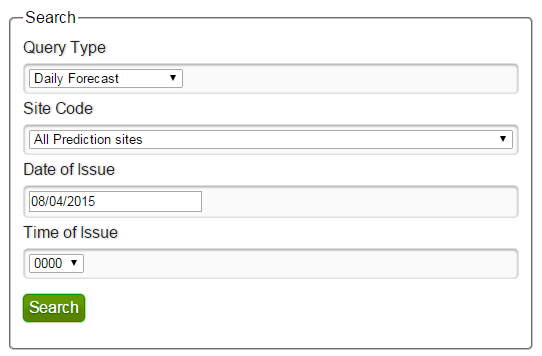
Then I took a look at the met office's own API (Datapoint), which is supposed to provide data for a given datetime for it's weather stations.Unfortunately, although I could get xml/json data feeds from the api, every time I polled for data before today, it returned 'no matching records'.

In the end I decided to write the following python script to loop through every day and hour I was interested in on the data gov site, and pull back the csvs into one folder so I could get the full dataset. 

Click here to see the code in gist or else click permalink below, where I have included the code.

SonArtPi (Part II: The Application)

Sonart is my project to control Sonos / Spotify directly via a camera and album covers.

I got the application up and running last night, and it works a charm. I have just pushed the initial code to github, and you can find it here:

https://github.com/willycs40/sonart/tree/master

I plan to make some updates to clean up the code, and also add some scripts for viewing and updating the record library. But for now, it works a charm, and I put on a playlist this morning using it!

SonArtPi (Part I: The Setup)

Sonart is my project to control Sonos / Spotify directly via a camera and album covers.

Since building the POC (see my last post above), I wanted to make this a permanent capability for my Sonos set up. I decided to build a 'production' version, on top of Raspberry Pi hardware. This post is about how I got the pi fully set up for computer vision.

I chose a Raspberry Pi 2 (as I'll need as much processing power as possible to process the images quickly), and also bought the official Pi Camera, and a case that could hold the whole thing. After having assembled the Pi, camera and case, and plugging in all the relevant cables, I powered it up and installed Raspbian through Noobs, making sure to enable the camera module in raspi-config.

From there I started to follow various guides to install and test the camera, get SimpleCV installed and deploy my Sonart application. I'd like to say things worked perfectly, but unsurprisingly I came up against a number of issues! In this post I've detailed those issues, and how I managed to fix them. I've also included the happy-path code for anyone who wants to avoid the problems!

Click permalink below to see the rest!

Building a Computer Vision rig with SimpleCV and IPython

A project of mine requires some image processing and OCR, which has led me into the interesting world of computer vision.

My initial research led me pretty quickly to OpenCV which is used by google among others for all things computer vision. However, this seemed a bit overkill for my use case, and with a steeper learning curve than I was willing to start with, so I decided to start from scratch first to build my knowledge.

After playing around in R and using tools like tesseract and imagemagick, and trying some different cutting, projection and learning techniques, I finally came across the library I had been looking for - SimpleCV is a python library, which is designed to be easy to use, and has wrappers for the big libraries like opencv and tesseract. I also recommend the ebook which doesn't take too long to read, but gets you up to speed quickly with the major fundamentals of computer vision (and how to use them...).

See this video for some demonstrations:

I've been using the library for a while now, in particular the blob extract and feature extraction elements, in order to create features to feed a scikit-learn based svm model, with very good results.

Click permalink below for some advice on how to set up a computer vision rig with SimpleCV.

Breaking timeseries data into sessions

Problem:

  • You have a lot of data about users interacting with your site, with a UserID and timestamp for each transaction.
  • However, you want to break this down into seperate user browsing sessions.
  • You can't use any normal session variables from the logs, because they get recycled if the user logs on a second time later in the same day. 
  • For a simple first approximation, you want to apply the rule that if a user hasn't had any transactions for 30 minutes, they've finished their session.
  • You have a lot of data and you need a set-wise SQL solution.

The problem is actually similar to the 'islands and gaps' sequence problem, which has lots of solutions online, but it's a tad harder because you can't use some of the properties of sequence data. The main trick is that it's much easier to find the big gaps between sessions than it is to find continuous sessions. So the solution below starts by finding the big gaps, and then converts these gaps to get the 'islands' of continuous activity, and finally grabs a couple of stats for the sake of demonstration.

Click permalink below to see the code!

Home ← Older posts